Decision Tree
Helping Engineers Model, Monitor, and Manage Operations 2× Faster
Project Type: Chemical and process engineering software designed for IntelliFlux Controls
Role: UX & Human Factors Engineer, PM
Platform: Desktop and tablet first
Focus: ML/AI-assisted software for plant operators and engineers
Industries: Chemical engineering, water and process plant operations
Background & Motivation
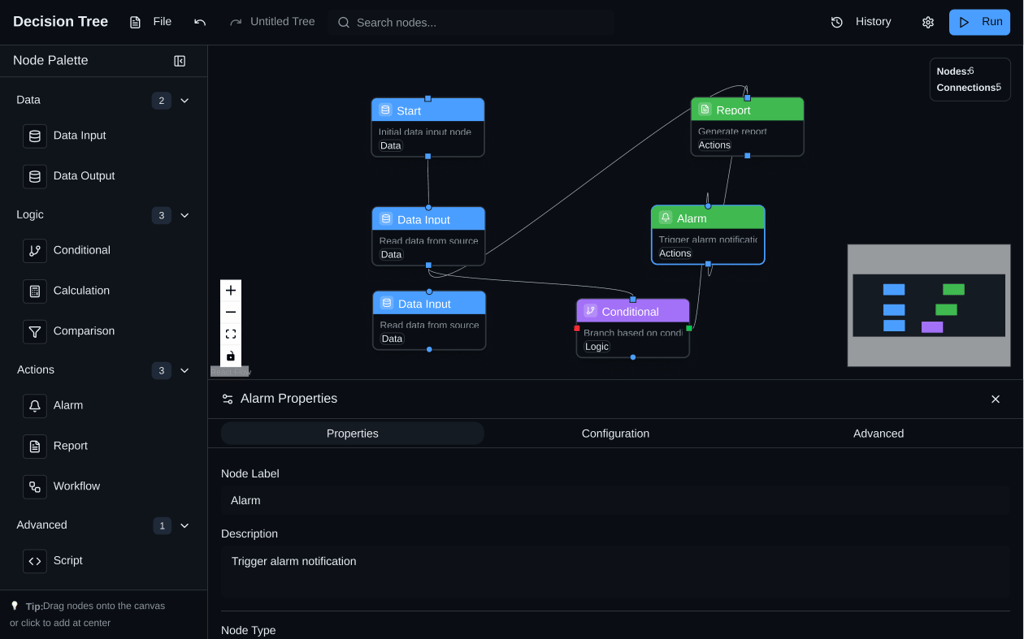
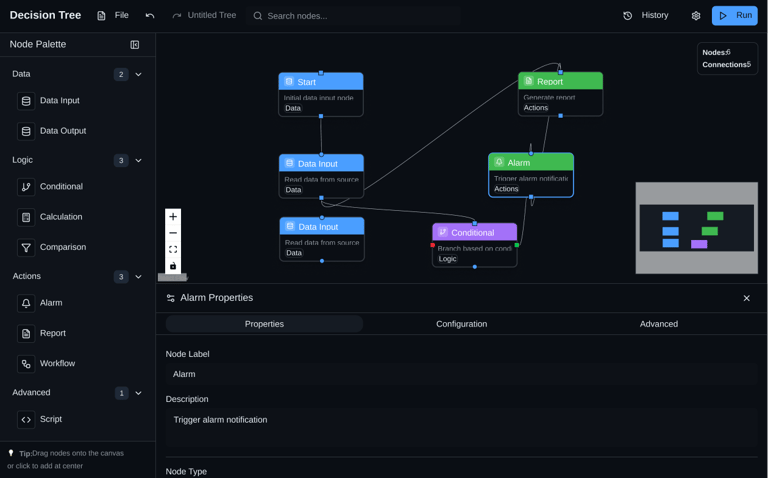
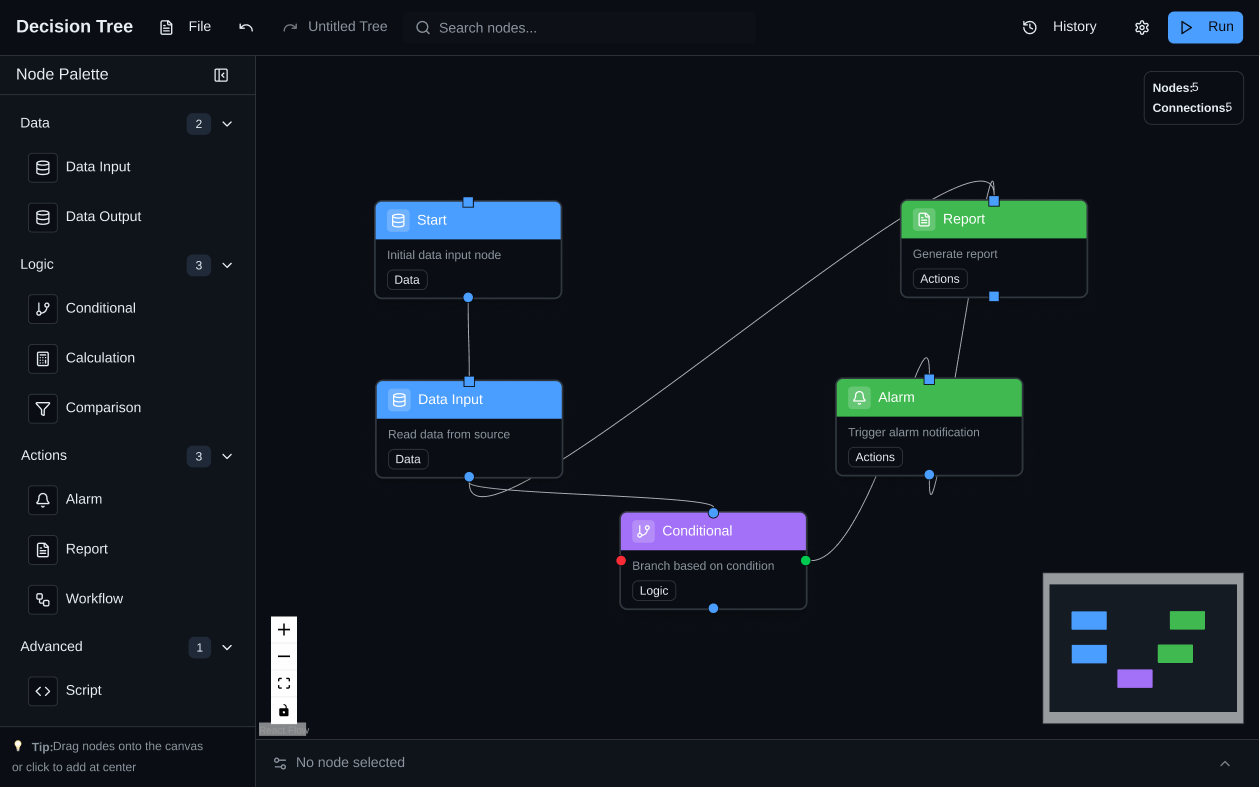
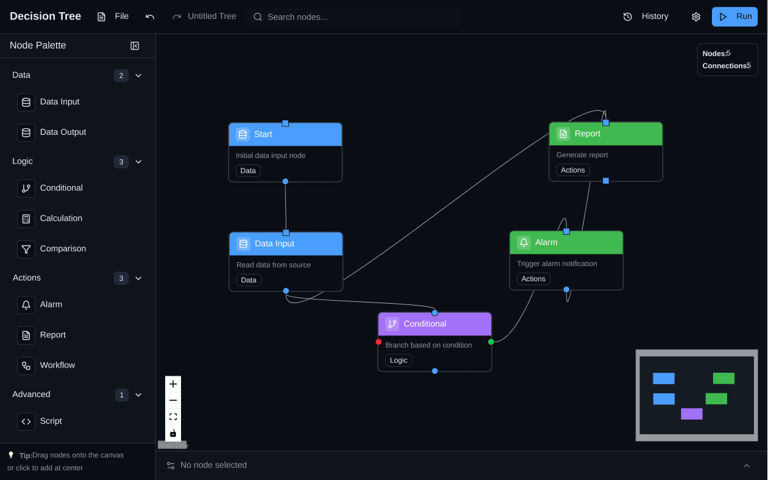
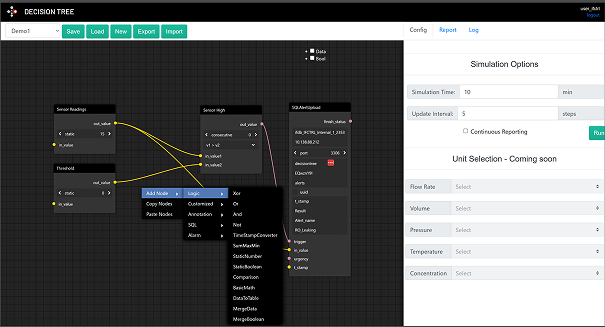
The Decision Tree tool is a decision-making system within APRICOT that allows internal teams and process engineers to set up and manage automated jobs for plant operations. It enables users to configure alarm notifications, reporting flows, and other process-related tasks through a visual, node-based interface. By connecting different decision points and conditions, the tool helps engineers model operational logic, define workflows, and automate responses to events across water and chemical engineering systems. Its key functions include job setup, rule-based decision logic, flow visualization, edit history tracking, and scalable node/property management, making it a versatile tool for improving operational efficiency and reducing human error.
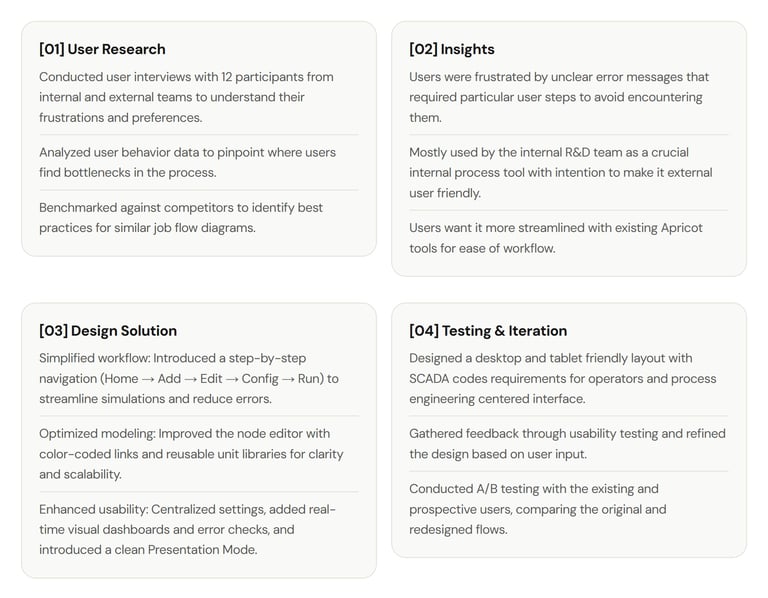
Problem: The original Decision Tree, while functional, suffered from cluttered controls, poor learnability, and unclear feedback, making simulations difficult to build and interpret.
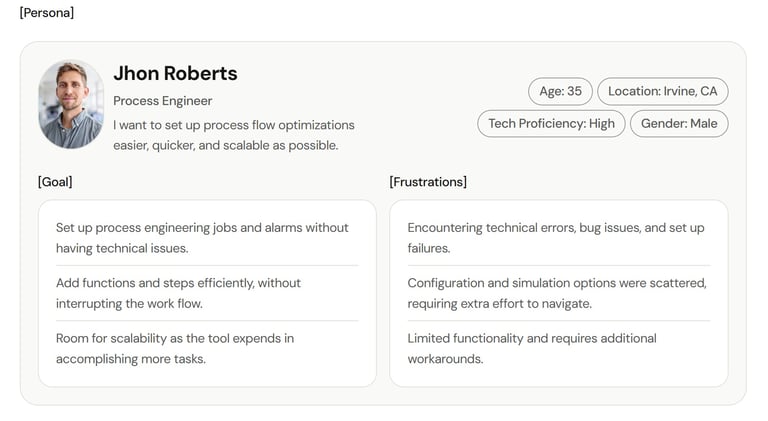
Goal: To create a streamlined, professional-grade tool with clear structure, efficiency and intuitive user flows.
Product Management
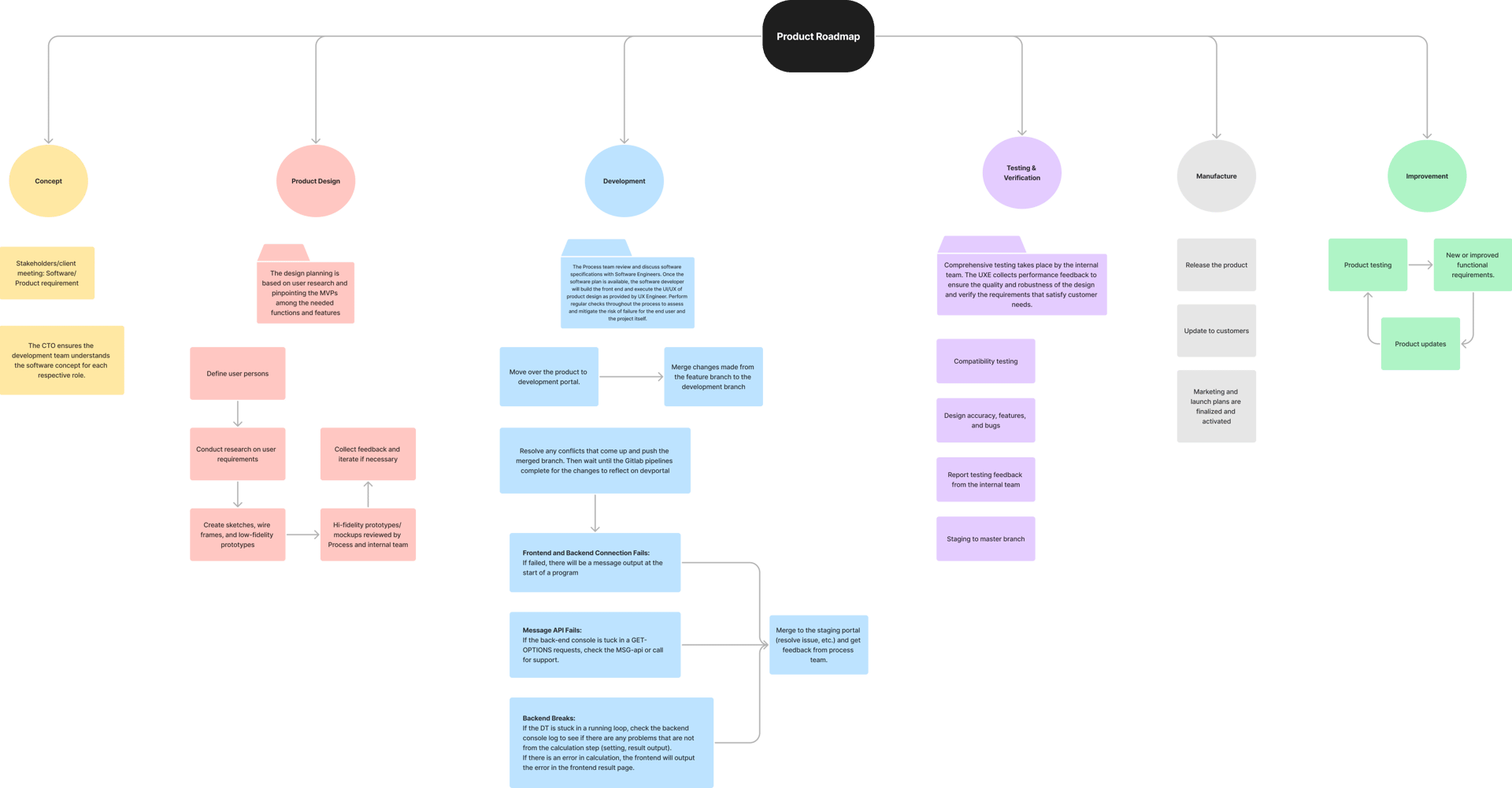
Led cross-functional collaboration between UX, engineering, and developers to align design and technical goals.
Managed Agile sprints, backlog prioritization, and roadmap execution for usability, scalability, and integration phases.
Oversaw design-to-development handoffs, QA testing, and deployment to ensure seamless implementation.
Coordinated communication, progress tracking, and version control using shared Kanban boards and weekly reviews.
Improved delivery efficiency, reduced rework, and enhanced team alignment through structured Agile workflows.
Prompts
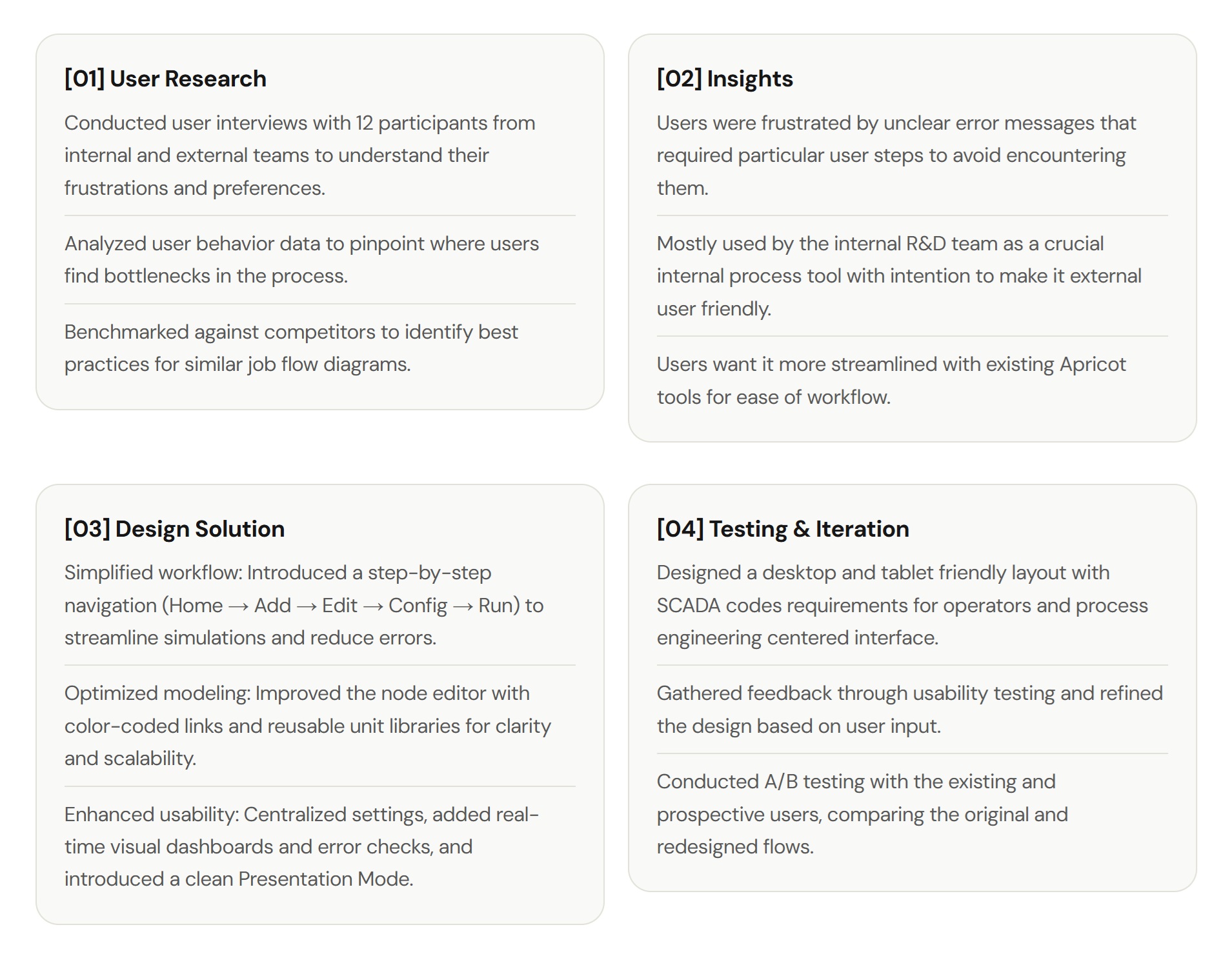
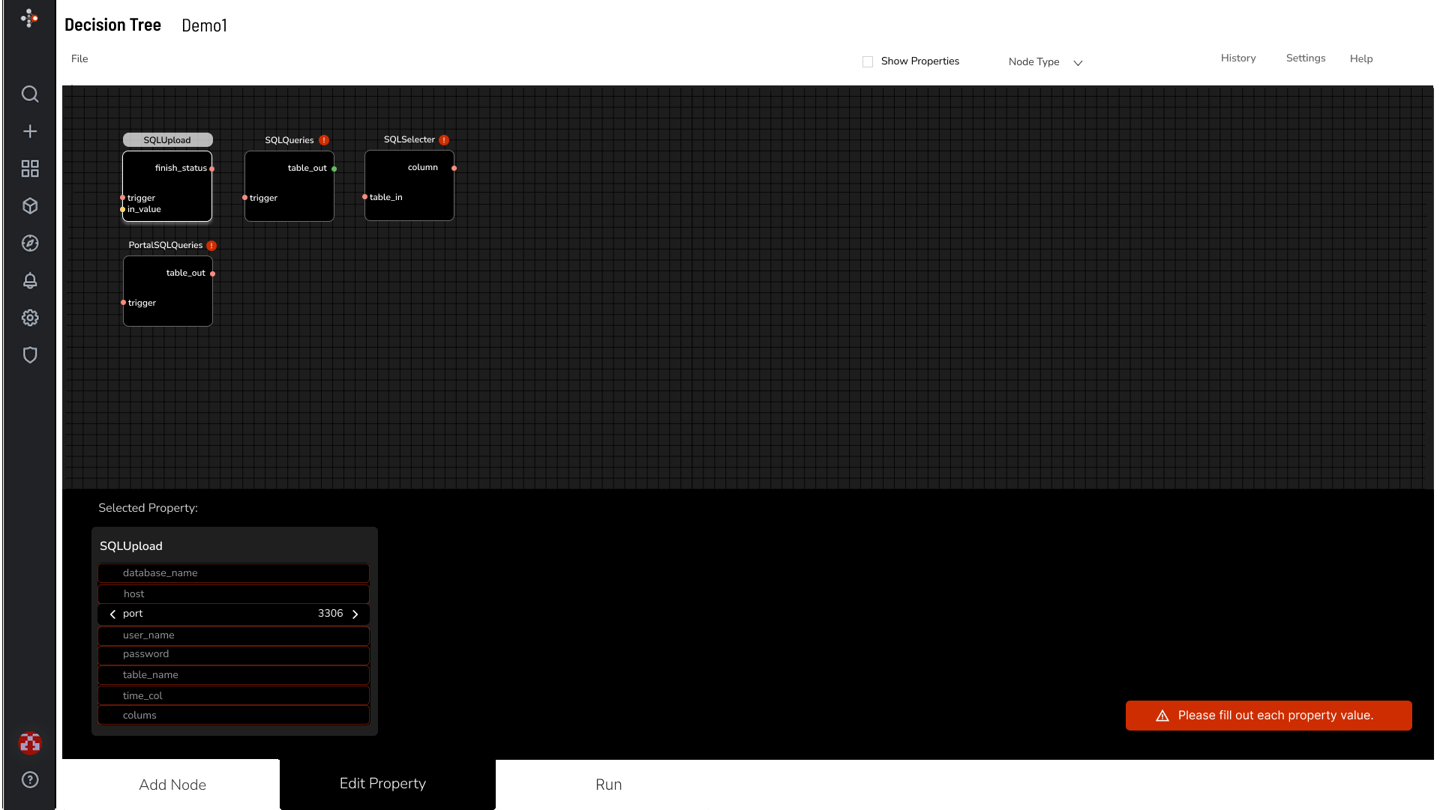
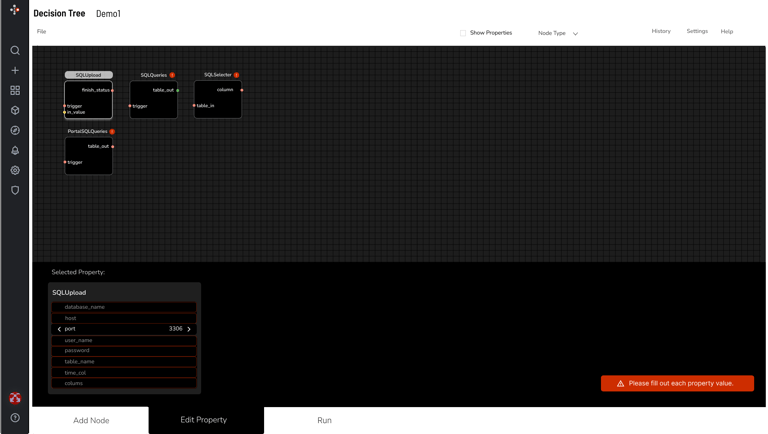
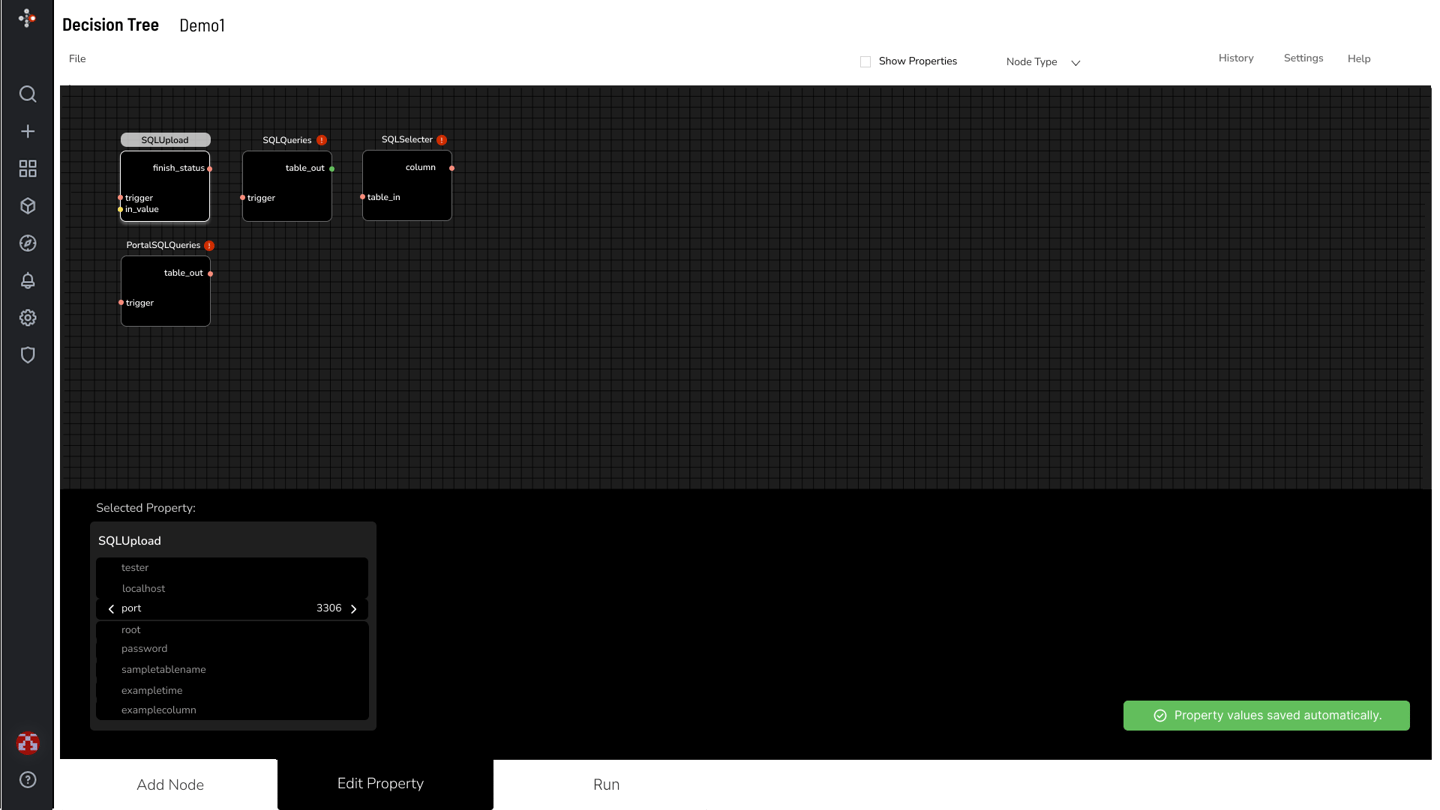
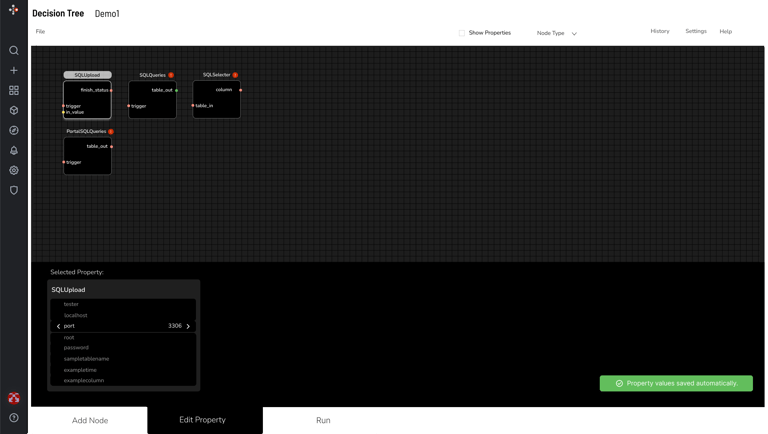
To prevent unclear error messages, I added explicit calls to action and warning prompts that guide users through the required steps to use the tool more efficiently. This significantly reduced unnecessary errors and made it easier for users to proceed without relying heavily on the user manual.
Product and User Experience Design
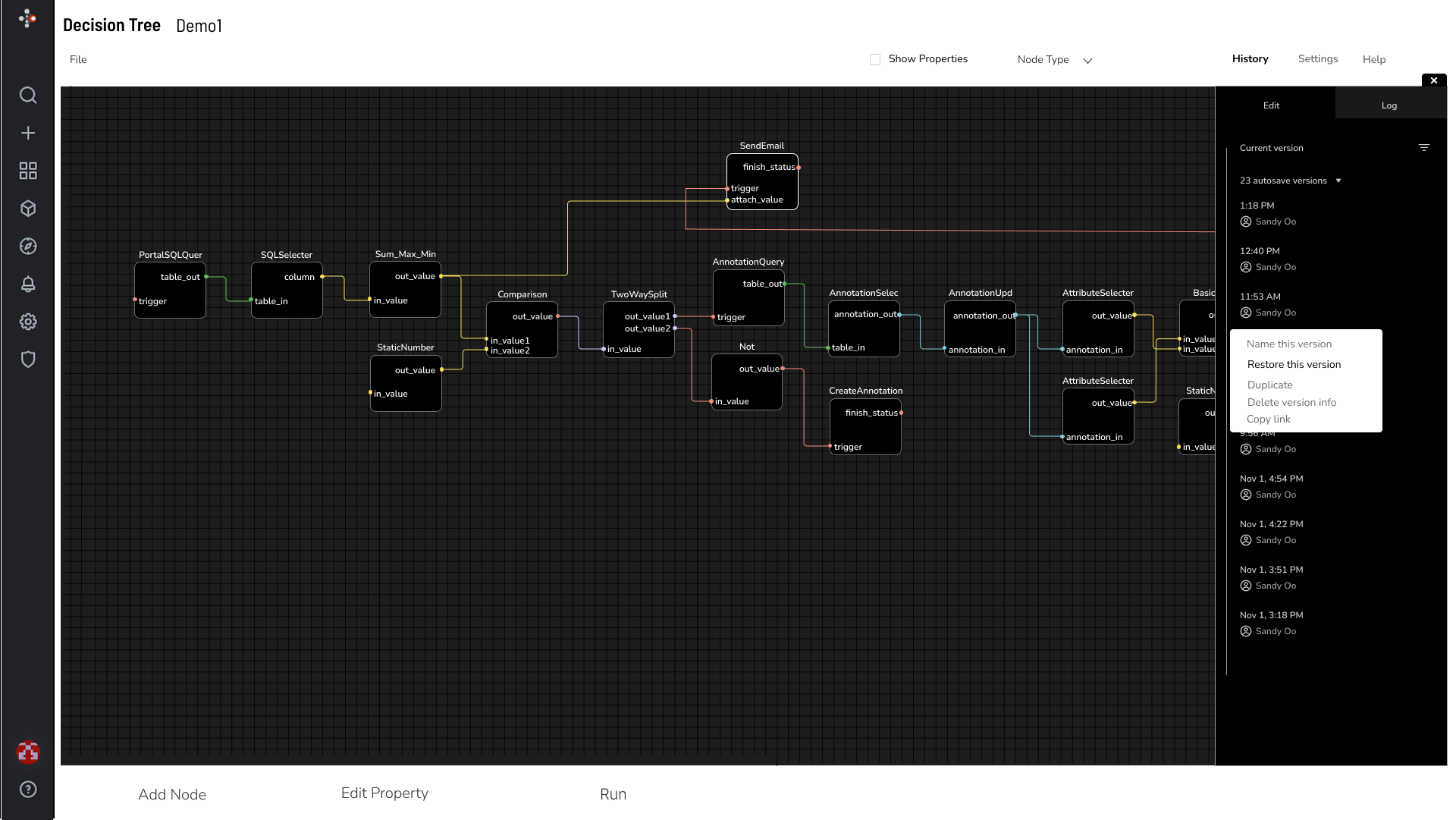
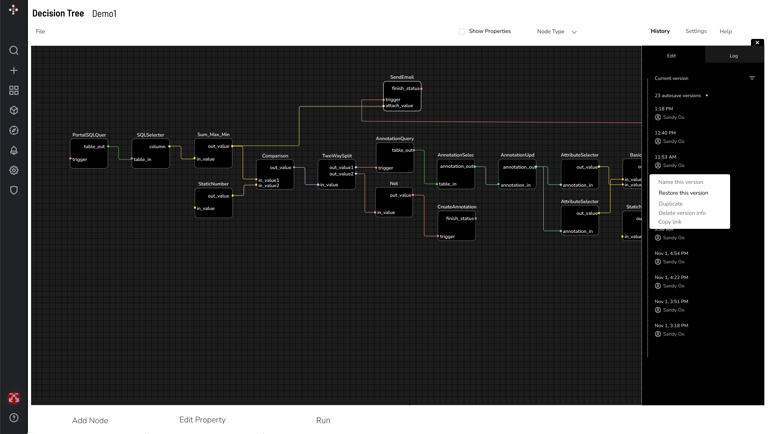
History and Log
User feedback highlighted the need for an edit history to make revisions easier and improve log accessibility.
Scalability
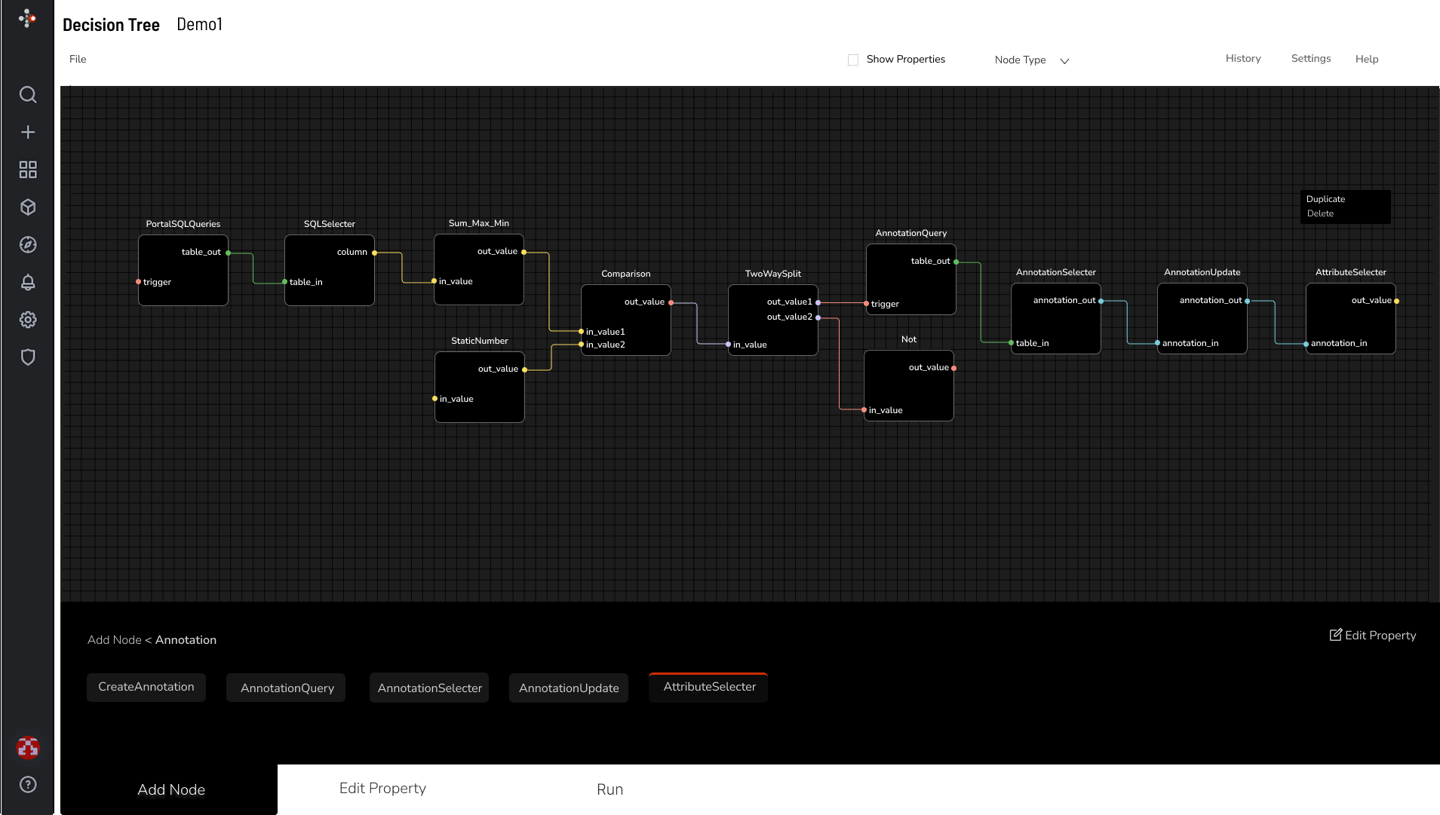
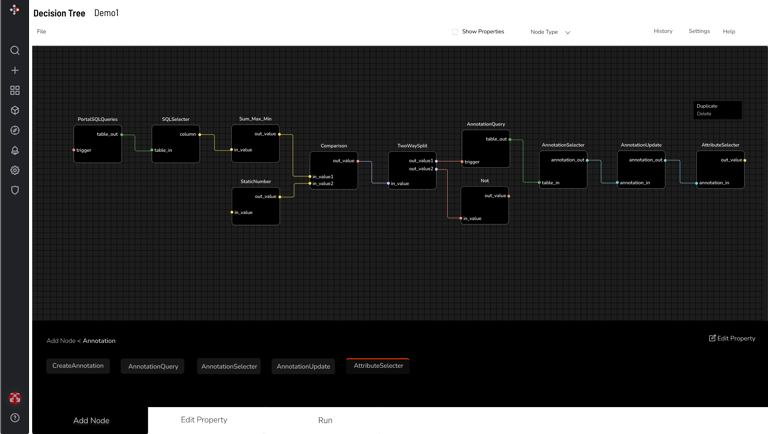
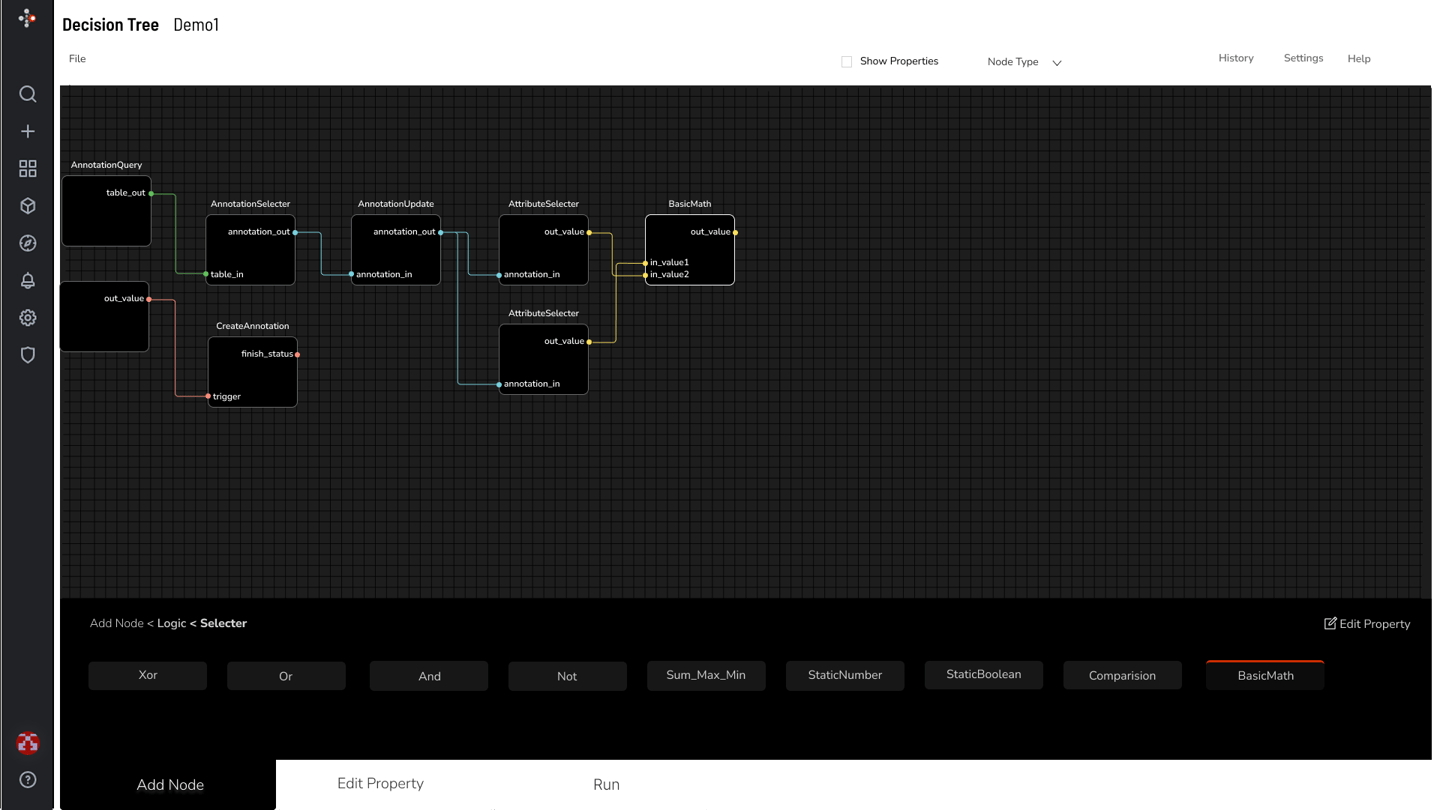
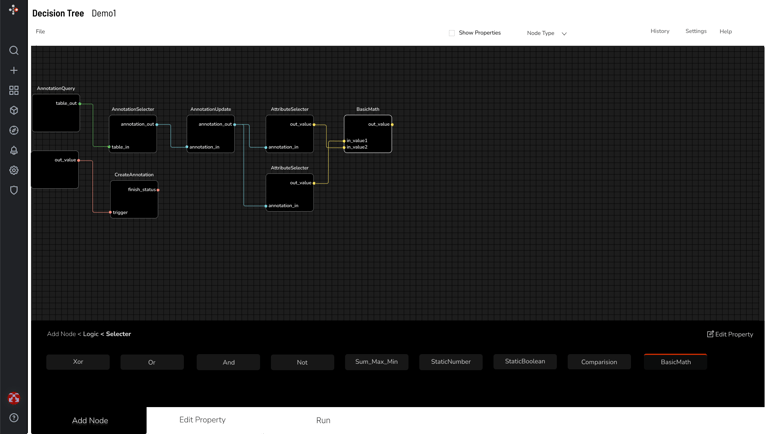
As the software evolved, adding new functionality became increasingly difficult due to an overloaded left-click menu. Implementing a scalable, layered bottom menu improved organization and enabled future growth.
Run
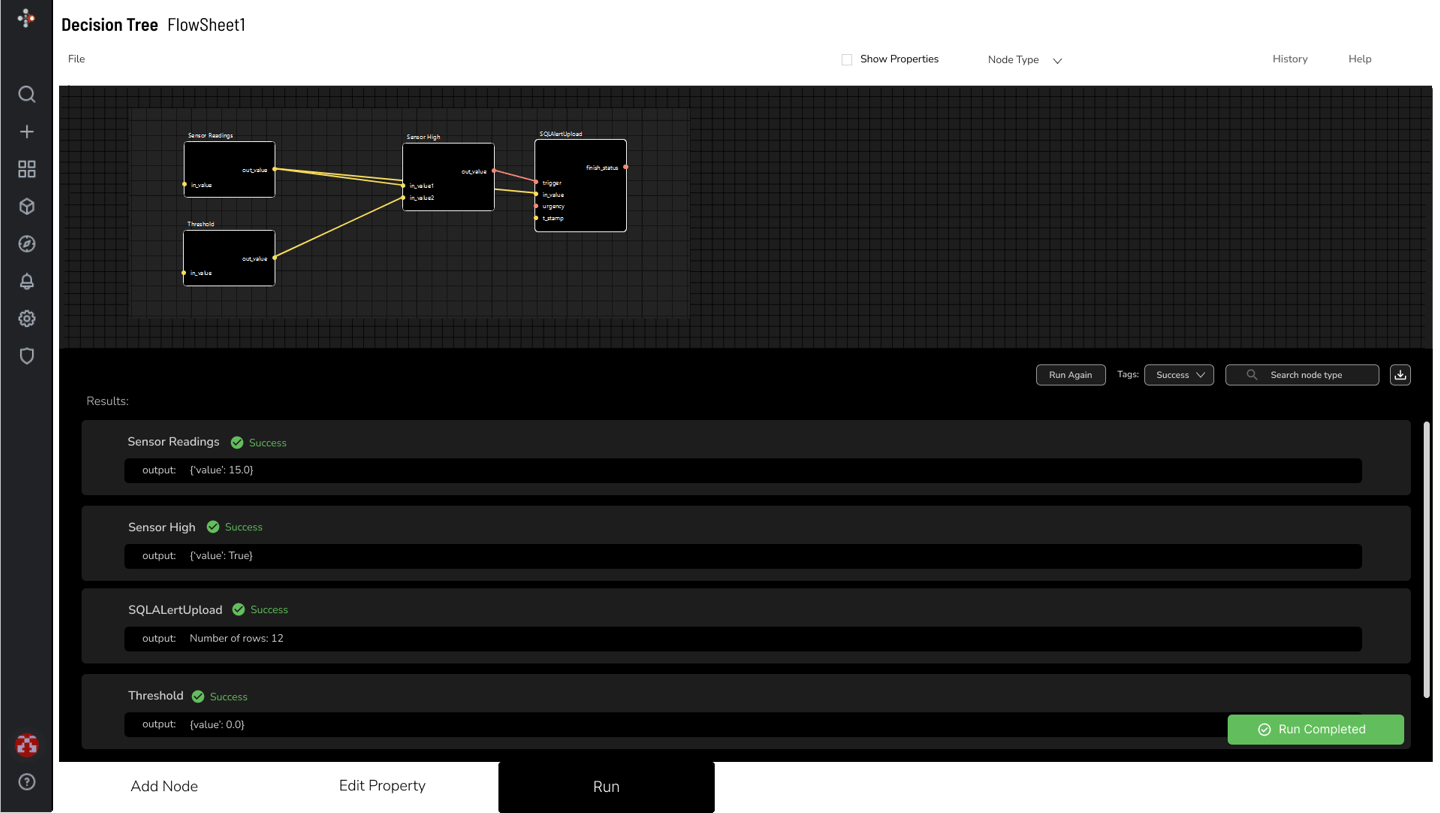
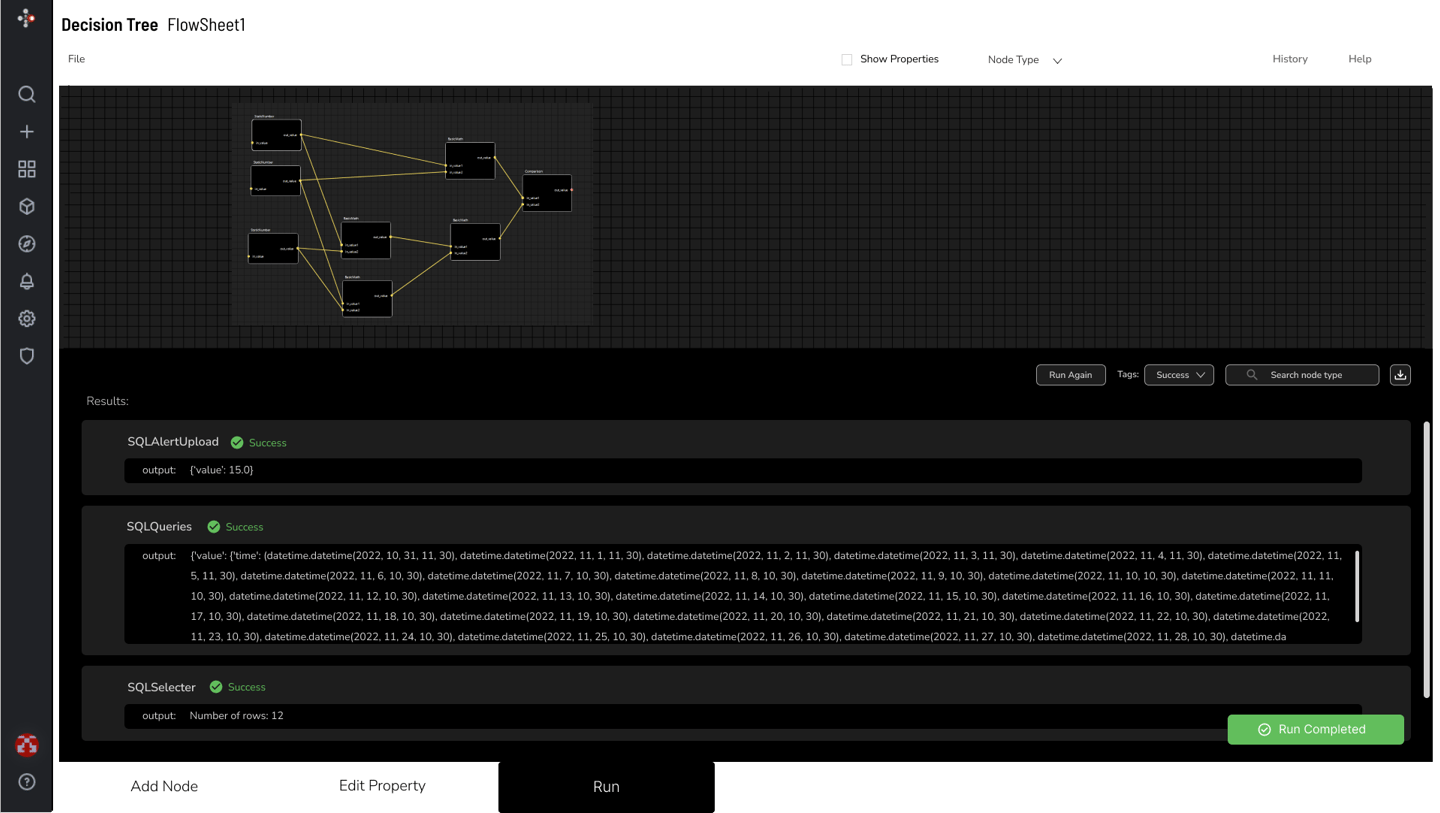
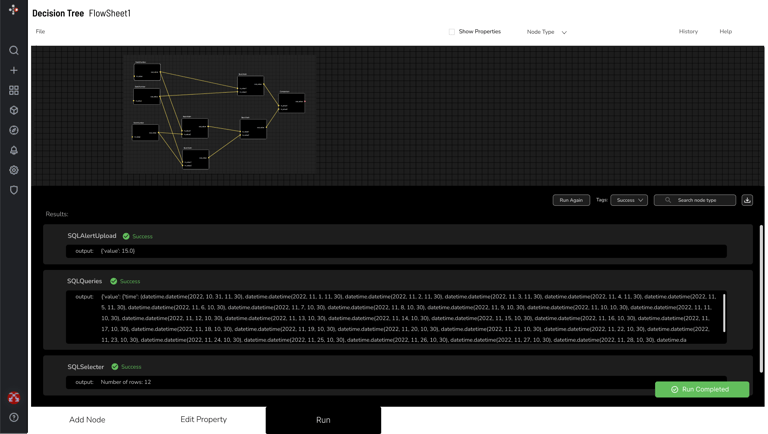
The Run functionality provides immediate, node-by-node feedback with clear success states and output values, allowing users to quickly validate logic, understand data flow, and identify issues without relying on external logs. By displaying execution results in a single, structured panel and supporting quick re-runs, it enables fast iteration, reduces cognitive load, and builds confidence in the workflow before deployment, while also making the system easier to learn and debug.
25% increase in job setup efficiency and output
30% reduction in unknown errors and completion issues
Improvement in perceived ease of use, as measured by post-launch surveys.
Outcomes
The redesigned Decision Tree successfully resolved major bottlenecks and improved both internal workflows and client-facing applications. Engineers could now create and edit flows more efficiently using intuitive drag-and-drop functionality and organized menus, while scalability improvements made it easier to add new node types and configurations without cluttering the interface. The introduction of log history and version tracking reduced rework and improved collaboration across teams. These enhancements made the tool easier to adopt and directly supported Geolocation-based pipeline analysis, leak detection, and automated reporting workflows for clients.
Possible Adaptations
During the design process, I explored several potential features, including a left-aligned main menu for improved mobile responsiveness, a mini overview of the entire flow diagram, locked features, and auto script generation. These ideas informed future direction but were not included in the MVP.